Netstar Fleet AI Setup & Administration Training
Learn how to effectively configure and manage your Fleet AI platform to support day-to-day operations and improve fleet management processes.
What We’ll Cover
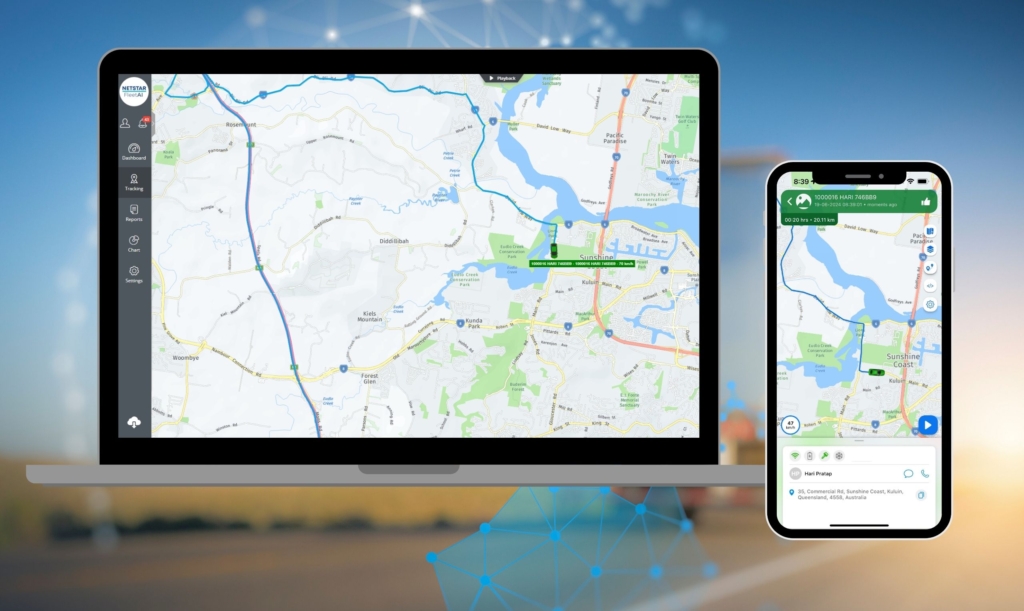
- Track multiple vehicles from one dashboard: See everything at a glance so nothing slips past you.
- Create and manage geofences: Get notified the moment a vehicle enters or exits a key area.
- Enter and manage service schedules: Keep your maintenance organised and your vehicles compliant.
- Change service intervals: Adjust your reminders so you never get locked out of the system.
- Extract historical data from tracking history: Pull your past trip data and stoppage times whenever you need it for reporting.
- Set up sub users, branches, and alerts: Get permissions and notifications sorted so your team sees what matters.
Choose your preferred training date below — we’re offering multiple sessions this month.
Date: Wednesday 7th October 2026
Time: 11:30 AM
Location: Online via Microsoft Teams
Date: Wednesday 14th October 2026
Time: 11:30 AM
Location: Online via Microsoft Teams
Date: Wednesday 21st October 2026
Time: 11:30 AM
Location: Online via Microsoft Teams
Date: Wednesday 28th October 2026
Time: 11:30 AM
Location: Online via Microsoft Teams
Browse the latest news from Netstar
A Guide to Video Telematics
Key Takeaways Understanding what telematics is begins with vehicle data collection. When enhanced with onboard camera footage, video telematics delivers a clearer, contextual view of what happens every day...